Table of Contents (14 sections)
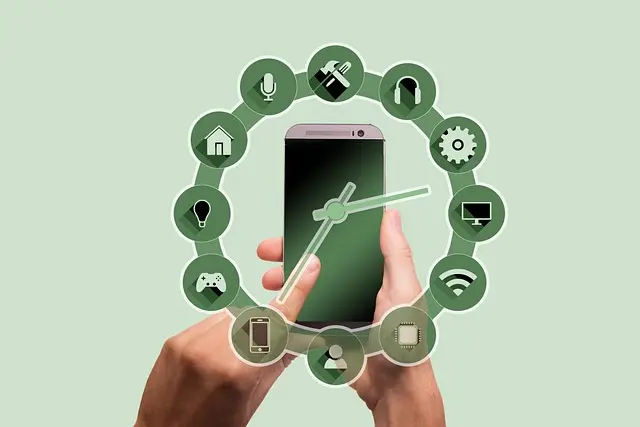
In recent years, smart home devices have revolutionized how we manage our households, offering enhanced convenience, security, and energy efficiency. From smart thermostats to intelligent lighting systems, these devices are not just technological novelties; they represent a fundamental shift in domestic life. In a world where time is a valuable commodity, the adoption of smart technology has become essential for streamlining household management.
Understanding Smart Home Devices
Smart home devices refer to a wide range of gadgets designed to automate tasks and improve the efficiency of home management. These devices can include smart lights, thermostats, cameras, and even kitchen appliances that connect to the internet, allowing for remote control and monitoring.
The integration of technology into the home has opened new avenues for energy savings and convenience. A study from Energy Star indicated that households using smart devices could save between 10-30% on their energy bills. Moreover, smart home devices offer convenience features such as programmable settings, alerts on mobile devices, and integration with virtual assistants.
💡 Expert Insight: _Many homeowners report significant improvements in daily scheduling thanks to smart home technology. By automating routine tasks, they gain back precious time for their families._
How to Set Up Smart Home Devices
If you're interested in diving into the world of smart devices, here's a step-by-step guide on how to set them up effectively.
- Identify Your Needs: Start by determining what aspects of your household you want to enhance. This could be energy management, security, or even convenience in cooking and cleaning.
- Choose Compatible Devices: When selecting smart home devices, ensure they are compatible with each other. Many devices are designed to work with specific ecosystems (like Google Assistant or Amazon Alexa).
- Installation: Most devices come with user-friendly installation guides. For example, smart thermostats can often replace traditional ones without professional help.
- Connect to Wi-Fi: To control your devices remotely, ensure that they are connected to your home Wi-Fi network. Follow the manufacturer's instructions for connecting each device to your network.
- Utilize Your Smart Assistant: Set up your preferred virtual assistant to control your devices easily. You can create routines that execute multiple actions with a single command, enhancing the efficiency of your home management.


WHALL - 4-in-1 UV Mattress Vacuum Cleaner, 21KPa Anti-Mite Bed Vacuum with Hot Air & LED Display
bestbuy.com
Comparison of Smart Home Devices
Here's a comparative table to help you understand the features of some popular smart home devices.
| Device Type | Example Device | Key Features | Price Range |
|---|---|---|---|
| Smart Thermostat | Model X | Energy efficiency, Remote access | $50 - $250 |
| Smart Security Cam | Mini Smart Security Cam | Motion detection, Remote monitoring | $30 - $100 |
| Smart Light Bulb | LED Smart Bulb | Color change, Scheduling | $10 - $60 |
| Smart Speaker | Assistant Speaker | Voice control, Apple Music integration | $50 - $150 |
The Impact of Smart Home Devices on Energy Efficiency
Smart home devices contribute significantly to energy efficiency in households. According to U.S. Department of Energy, smart thermostats can reduce heating and cooling costs by approximately 10-20%. The automation of lighting and temperature regulation ensures that energy is consumed only when necessary, thus minimizing waste.
Moreover, smart plugs enable users to monitor and control outlets remotely, allowing for the management of appliances that often consume power even when not in use. These strategies not only decrease energy bills but also promote an environmentally friendly lifestyle.
What are smart home devices?
Smart home devices are internet-connected gadgets designed to enhance home management by automating tasks and enabling remote control.
How do smart home devices work?
They work by connecting to your home Wi-Fi network and can be controlled via a smartphone app, voice assistant, or automation schedules.
Are smart home devices secure?
While smart home devices are generally secure, users should ensure that their Wi-Fi networks are protected and that devices receive regular software updates to mitigate potential vulnerabilities.
Can I install smart home devices myself?
Yes, many smart home devices come with user-friendly instructions and can be installed without professional assistance, although some may require basic electrical skills.
📺 For further learning: Smart Home Devices Overview, a detailed examination of features and benefits. Search on YouTube: “smart home devices 2026 overview.”
Glossary
| Term | Definition |
|---|---|
| IoT (Internet of Things) | A network of interconnected devices that communicate and exchange data. |
| Voice Assistant | An AI-powered tool that can perform tasks or services based on voice commands. |
| Home Automation | The technology that allows for the control of home devices remotely or programmatically. |


Checklist Before Purchase
- [ ] Define specific needs for smart home integration.
- [ ] Research compatibility with existing devices.
- [ ] Set a budget for smart home investments.
- [ ] Read reviews and comparisons for desired devices.
- [ ] Ensure reliable Wi-Fi coverage for smart home connectivity.
Conclusion
Smart home devices are not just a trend; they represent a transformative approach to household management. By integrating technology into our daily lives, we can enhance efficiency, security, and comfort. The future of home management is bright, and the possibilities are limitless. Don’t forget to explore our recommended products below for the best smart home solutions!
📺 Pour aller plus loin : smart home devices 2026 overview sur YouTube
Recommended products
Selected by our experts