Table of Contents (22 sections)
Smart home devices have revolutionized the way we live, offering efficiency, convenience, and improved energy management. With the continued advancement in technology, these devices not only streamline our daily chores but also help in reducing our environmental impact by optimizing energy use. In this article, we will delve into how smart home devices can enhance household efficiency and provide tips on integrating them into your lifestyle.
What are Smart Home Devices?
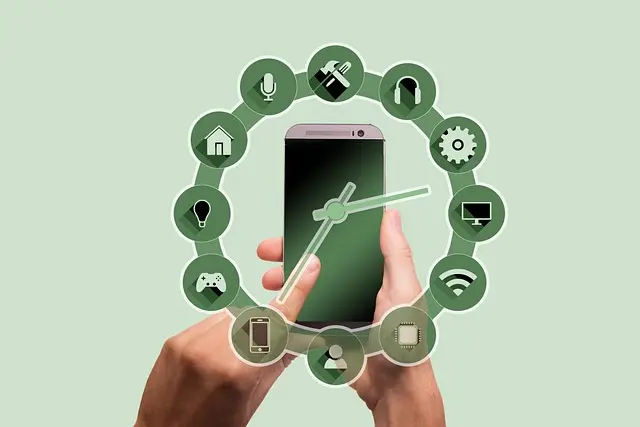
Smart home devices are electronic gadgets that connect to the internet and can be controlled remotely via smartphones, tablets, or computers. These devices include smart thermostats, security cameras, lights, and appliances which can be programmed, monitored, and managed at a distance. Their functionality primarily revolves around enhancing convenience and efficiency in the household. Nowadays, smart home technology is not just a luxury but an essential part of modern living.
According to a market report by Statista, the global smart home market is expected to grow to over $135 billion by 2025. This substantial growth reflects the increasing adoption of Internet of Things (IoT) technologies, which play a pivotal role in smart home functionalities. The integration of these devices allows homeowners to optimize various aspects of their daily routines.
Benefits of Smart Home Devices
Energy Efficiency
One of the most significant advantages of smart home devices is their ability to improve energy efficiency. Smart thermostats, for instance, learn your schedule and adjust the temperature accordingly, leading to remarkable savings on energy bills. For example, the U.S. Department of Energy estimates that homeowners can save between 10-30% on heating and cooling costs by using smart thermostats effectively.
Enhanced Security
Smart security devices, such as cameras and sensors, offer an extra layer of protection for your home. Features like real-time alerts to your smartphone enable you to monitor your property from anywhere, while smart locks eliminate the need for physical keys, enhancing convenience.
Time-Saving
Automating daily tasks, like scheduling lights to turn on/off at specific times or using smart appliances that can be controlled remotely, saves a considerable amount of time. This allows homeowners to focus on more critical tasks or enjoy leisure time without being burdened by mundane chores.


How to Optimize Your Home with Smart Devices
Step 1: Assess Your Needs
Start by identifying the areas in your home that could benefit from smart technology. Is it your heating system, security setup, or daily household tasks that you wish to automate? Assessing your needs will help you make informed decisions on which devices to integrate.
Step 2: Research Compatible Devices
Once you identify your needs, research devices that are compatible with your existing systems. For example, if you have a smart home hub, check which devices can communicate with it to ensure seamless integration.
Step 3: Setup and Installation
Follow the manufacturer's instructions to set up your devices. Many smart devices have user-friendly apps that guide you through installation and configuration. Ensure that your Wi-Fi network is stable for optimal performance.
Step 4: Optimize Settings
Take time to explore all available settings on your devices. Customization can significantly enhance your user experience. For instance, setting routines and conditions for your smart lights and thermostats can further optimize their efficiency and convenience.
Comparative Overview of Smart Devices
| Device Type | Energy Efficiency | User Control | Initial Cost | Long-term Savings |
|---|---|---|---|---|
| Smart Thermostats | High | Smartphone & Voice | Moderate | High |
| Smart Security Cameras | Moderate | Smartphone Only | Low | Moderate |
| Smart Lights | Moderate | Smartphone & Voice | Low | Moderate |
| Smart Appliances | High | Smartphone & Voice | High | High |
The table above illustrates the comparative aspects of different smart devices, showcasing their unique benefits, control methods, costs, and potential savings. Understanding these distinctions can help you make the right choice for your home.
Current Trends in Smart Home Devices
The smart home industry is witnessing exciting advancements. The rise of voice-controlled devices and interoperability among different brands is making it easier for users to manage their homes effectively. The Consumer Technology Association reported that nearly 68% of U.S. households owned at least one smart device by the end of 2025. Furthermore, integration with AI and machine learning is allowing these devices to become even more intuitive, adjusting to user preferences and behaviors over time.
Q: What are the most popular smart home devices?
A: Popular smart home devices include smart thermostats, security cameras, smart speakers, and automated lighting systems.
Q: How can smart home devices help reduce energy bills?
A: Smart home devices can optimize heating, cooling, and electricity use by adjusting settings based on your habits, ultimately lowering energy consumption and costs.
Q: Are smart home devices secure?
A: While many smart devices have robust security measures, it's essential to use strong passwords, enable two-factor authentication, and regularly update device firmware to protect against vulnerabilities.
Q: Can smart home devices work without a central hub?
A: Some devices can operate independently, while others may need a central hub for optimal functionality and compatibility with other devices.
Expert Advice
> 💡 Expert Opinion: Utilizing smart home devices not only enhances efficiency but also makes daily living more convenient. Incorporating devices tailored to your lifestyle can significantly reduce stress and increase productivity in your home.

WHALL - 4-in-1 UV Mattress Vacuum Cleaner, 21KPa Anti-Mite Bed Vacuum with Hot Air & LED Display
bestbuy.com


Checklist before Making Purchases
- [ ] Assess your household's specific needs.
- [ ] Research compatibility with existing systems.
- [ ] Check user reviews for performance insights.
- [ ] Ensure reliable internet connectivity.
- [ ] Look for energy-efficient options to maximize savings.
Glossary
| Term | Definition |
|---|---|
| Smart Camera | A camera that connects to the internet for remote monitoring. |
| Smart Hub | A central device that connects and controls various smart devices. |
| IoT | Internet of Things, a network of interconnected devices. |
📺 For Further Reading:
Watch this video on YouTube for more insights on how to transform your home into a smart-home oasis! Search: "how to set up smart home devices 2026".
In conclusion, integrating smart home devices into your household can significantly enhance your efficiency and contribute to energy savings. These devices are not just gadgets; they're tools that foster a more efficient and simplified lifestyle. Explore our recommended products below to find the best options for your home.
📺 Pour aller plus loin : how to set up smart home devices 2026 sur YouTube
Recommended products
Selected by our experts