Table of Contents (26 sections)
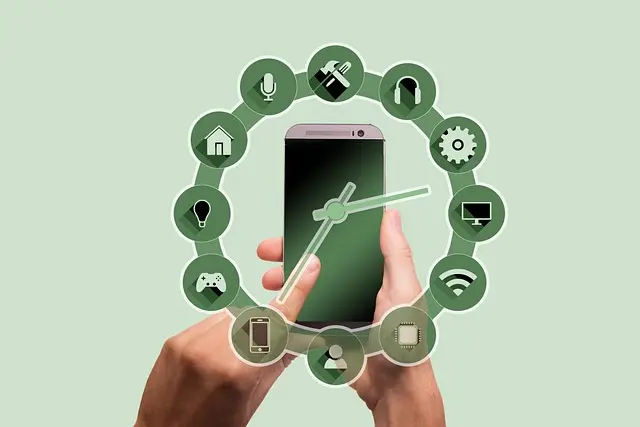
In today's fast-paced world, smart home devices have become essential tools that can significantly streamline your daily routines. From automation of everyday tasks to enhancing security and energy efficiency, these devices can make life easier and more enjoyable. According to the Consumer Technology Association, nearly 70% of households are adopting smart home technology.
Understanding Smart Home Devices
What Are Smart Home Devices?
Smart home devices refer to appliances and systems that connect to the internet and can be controlled remotely. They are equipped with sensors, software, and connectivity features that allow them to communicate with other devices within your home ecosystem. Categories include smart thermostats, security cameras, smart lights, and kitchen appliances.
Why Use Smart Home Devices?
The primary appeal of smart home technology lies in its ability to increase convenience and efficiency. For instance, smart thermostats can learn your heating preferences over time, adjusting temperatures automatically to save energy while keeping you comfortable. According to a study by UFC-Que Choisir, homes equipped with smart thermostats can save up to 20% on heating bills.
How to Set Up Smart Home Devices
Step 1: Assess Your Needs
Begin by assessing what aspects of your routine you wish to enhance. Are you looking to improve security, convenience, or energy efficiency? Categorizing your needs will help you focus on the most suitable devices.
Step 2: Choose Compatible Devices
Once you have identified your needs, assess the compatibility of various devices. Not all smart home devices communicate with each other seamlessly. Selecting products that are part of the same ecosystem can prevent unnecessary friction. For example, Amazon Alexa works fluidly with many smart devices, enabling a smoother user experience.
Step 3: Installation
Most devices offer straightforward DIY installation, but also consider technical proficiency. For devices that require wiring, consulting a professional may be beneficial. Make sure to review the installation manual carefully. For instance, a refrigerator with smart capabilities might need specific electrical requirements.
Step 4: Configure the App
After installation, download the relevant app to control your devices. This step is essential for setting preferences and schedules to automate actions. For example, setting your thermostat to lower the temperature when you leave for work can optimize your energy usage while ensuring comfort upon returning home.


Common Mistakes to Avoid
Error 1: Overlooking Security
With the convenience of smart devices comes the responsibility of maintaining security. Ensure that you regularly update the firmware and use strong, unique passwords to protect against cyber threats. According to Les Numériques, over 60% of smart home users neglect security protocols, which can lead to data breaches.
Error 2: Ignoring Ecosystem Compatibility
Selecting devices that don’t communicate well can lead to frustration. Always check compatibility with existing smart home systems before making purchases.
Best Practices for Maximizing Efficiency
Employ Automation
Use automation features extensively. Schedule devices to work in tandem with your daily routine. For example, program lights to turn on automatically at sunset or smart plugs for appliances to operate during off-peak hours to save on electricity costs.
Monitor Usage
Many smart devices come with features that allow you to monitor usage statistics. Use this information to adjust your habits for better energy efficiency. For example, tracking your lightning usage throughout the week can inform adjustments to save on your electricity bill.
Comparison of Popular Smart Home Devices
| Feature | Smart Thermostat | Smart Security Camera | Smart Light Bulb |
|---|---|---|---|
| Remote Access | Yes | Yes | Yes |
| Energy Saving | High | No | Medium |
| Installation Ease | Moderate | Easy | Very easy |
| Cost | $$ | $$ | $ |
This table illustrates the strengths and weaknesses of various smart home devices, allowing you to make informed decisions based on your specific needs.
Data Insights on Smart Home Adoption
Recent surveys indicate that the smart home market is projected to reach $174 billion by 2026, showing a significant shift towards smarter living. With advancements in AI and IoT technologies, devices are increasingly becoming more intuitive and user-friendly. This growth leads to better integration in our daily lives.

WHALL - 4-in-1 UV Mattress Vacuum Cleaner, 21KPa Anti-Mite Bed Vacuum with Hot Air & LED Display
bestbuy.com


📺 Video Resource
> 📺 To learn more: Explore how various smart home integrations can enhance your daily life, search on YouTube: smart home devices setup tutorial.
Frequently Asked Questions
What are the benefits of smart home devices?
Smart home devices can save time, enhance security, and reduce energy costs by automating everyday tasks and monitoring usage.
Are smart home devices worth the investment?
Yes, many homeowners find that the convenience and savings on utility bills make smart home devices a worthwhile investment over time.
How do I choose the right smart home ecosystem?
Look at compatibility, your needs, and the specific functionalities of each ecosystem like Amazon Alexa, Google Assistant, or Apple HomeKit.
Can I use multiple brands in a smart home setup?
While possible, using multiple brands may lead to compatibility issues. It’s recommended to stick with a single ecosystem for the best experience.
Glossary
| Term | Definition |
|---|---|
| IoT | Internet of Things, referring to connected devices that communicate with each other. |
| Automation | The use of technology to perform tasks with minimal human intervention. |
| Ecosystem | A set of interconnected devices that work seamlessly together. |
Checklist Before Purchasing Smart Home Devices
- [ ] Identify the primary need (security, convenience, efficiency)
- [ ] Research compatibility with existing devices
- [ ] Confirm installation requirements
- [ ] Review user ratings and feedback
- [ ] Ensure relevant apps are available for control
By taking these steps, you can effectively use smart home devices to enhance and simplify your daily routines. Begin exploring the options suited for your lifestyle!
Recommended products
Selected by our experts