Table of Contents (14 sections)
In today's fast-paced world, smart home devices are emerging as vital tools for enhancing the efficiency and convenience of everyday life. These innovative technologies promise seamless integration into our daily routines, facilitating tasks ranging from mundane chores to complex home management systems. By adopting smart home technologies, homeowners can not only simplify their lives but also enjoy enhanced energy efficiency, security, and comfort.
What Are Smart Home Devices?
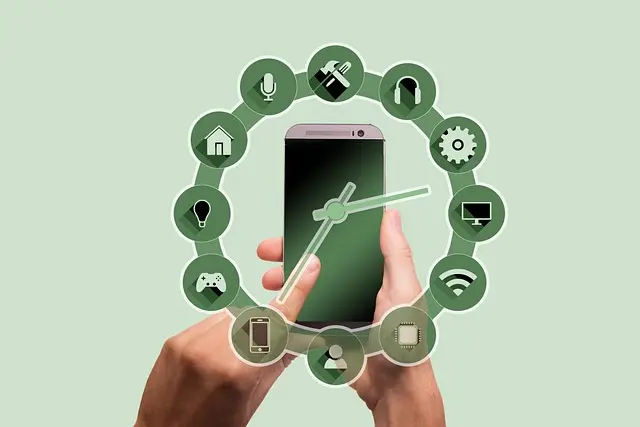
Smart home devices are electronic gadgets and systems that connect to a network, allowing users to control them remotely. They function under the umbrella of the Internet of Things (IoT), which means various devices can communicate with each other to improve daily functionalities. Examples include smart thermostats that optimize your home’s heating and cooling based on your habits, smart security systems that monitor your property in real-time, and automation hubs that centralize control of all your devices.
The rise of smart home technologies has been significant; according to a report by Statista, the global smart home market is projected to reach over $174 billion by 2025. As we progress through 2026, these devices are becoming increasingly sophisticated and user-friendly, making them essential for modern living.
How to Integrate Smart Home Devices into Your Daily Routine
Integrating smart home devices into your daily routine can drastically improve your household functionality. Here are some essential steps to consider:
Step 1: Identify Your Needs
Before diving into the world of smart home devices, assess your lifestyle and specific needs. Are you looking to enhance security, improve energy efficiency, or simplify daily tasks? Identifying your priorities can help you select the right devices.
Step 2: Choose Compatible Devices
Ensure that your chosen devices are compatible with each other, particularly if you’re using a central hub for automation. Many users find success with devices compatible with systems like Amazon Alexa, Google Assistant, or Apple HomeKit.
Step 3: Set Up and Customize Automation
Once you've installed your devices, take the time to customize them according to your preferences. For instance, set timers on smart light bulbs to switch on and off automatically, creating a welcoming environment without requiring manual effort.
Step 4: Leverage Data Analytics
Many smart home devices provide data insights. For example, smart thermostats can learn your heating preferences and adjust automatically, reducing energy costs. Reviewing these analytics regularly can enhance your experience over time.


Advantages of Smart Home Devices
Smart home devices offer various benefits that significantly augment the quality of daily life. Below are some key advantages:
- Convenience: Devices like smart speakers allow for hands-free control, streamlining tasks such as adjusting lighting or setting reminders.
- Energy Efficiency: Smart thermostats and energy monitors help reduce consumption, leading to cost savings and environmental benefits. In fact, studies from U.S. Department of Energy indicate that smart thermostats can save homeowners approximately 10-12% on heating and cooling costs annually.
- Enhanced Security: Smart security cameras and locks provide peace of mind by allowing remote monitoring and control, making it easier to keep your home secure.
- Integration of Multiple Devices: A unified system means that all your smart devices can communicate seamlessly. For example, your security system can alert your smart lights to turn on when movement is detected.
Comparative Analysis of Smart Home Devices
Understanding the functionalities of various smart devices can help you make informed decisions. Below is a comparative analysis of popular smart home devices:
| Device Type | Example Feature | Pros | Cons |
|---|---|---|---|
| Smart Thermostat | Temperature Scheduling | Energy savings | Initial cost |
| Smart Security Camera | Remote Access | Enhanced security | Requires Wi-Fi |
| Smart Light Bulb | Voice Activation | Convenience | Compatibility issues |
| Smart Plug | Remote Control | Versatile usage | Limited functionalities |
Expert Opinions on Smart Home Devices
> 💡 Expert Opinion: As technology continues to evolve, it’s essential for consumers to stay informed. An overwhelming number of choices can be confusing, so prioritizing compatibility and ease of use is vital. According to TechRadar, integrating devices around a single platform can save money and prevent frustrations.
- What are the best smart home devices for beginners?
The best options include smart plugs, smart light bulbs, and smart assistants as they are simple to set up and use.
- Do smart home devices consume a lot of energy?
Generally, smart home devices are designed to be energy-efficient, and many actually help reduce energy consumption over time.
- How secure are smart home devices?
Security varies by device; consumers should conduct thorough research and choose products known for robust security features.
- Can I control smart home devices remotely?
Yes, most smart home devices can be controlled via smartphone apps or voice assistants, making it convenient to manage your home from anywhere.
📺 Resource Video
> 📺 To go further: How to Set Up Your Smart Home Devices, a detailed guide on integrating devices into everyday life. Search for “how to set up smart home devices 2026.”


WHALL - 4-in-1 UV Mattress Vacuum Cleaner, 21KPa Anti-Mite Bed Vacuum with Hot Air & LED Display
bestbuy.com

Checklist Before Purchase
- [ ] Identify your primary needs.
- [ ] Research compatibility among devices.
- [ ] Review energy usage and savings.
- [ ] Check user reviews for long-term performance.
- [ ] Consider installation complexity.
Glossary
| Term | Definition |
|---|---|
| IoT (Internet of Things) | A system of interrelated devices that exchange data via the internet. |
| Automation Hub | Central device that connects and manages various smart devices.
| Voice Assistant | AI software that allows for hands-free control of smart devices through voice commands.
📺 Pour aller plus loin : how to set up smart home devices 2026 sur YouTube
Recommended products
Selected by our experts