Table of Contents (10 sections)
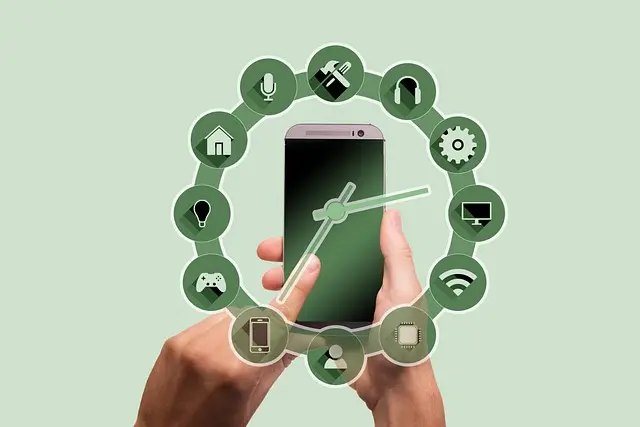
Smart home technology refers to a range of devices and systems designed to streamline home management, improve convenience, and enhance security. In 2026, this technology has become increasingly accessible, allowing users to control various aspects of their homes through devices like smartphones, tablets, and voice-activated systems. From adjusting lighting and heating to managing security systems and household appliances, smart home technology enables seamless integration into daily life.
The Benefits of Smart Home Devices
Adopting smart home devices significantly boosts daily comfort and convenience. These devices empower individuals to personalize their home environments, ensuring tailored experiences that enhance quality of life. For example, smart thermostats allow homeowners to program heating and cooling schedules, saving energy and reducing utility costs. According to the U.S. Department of Energy, smart thermostats can save an average of 10-12% on heating and 15% on cooling costs annually.
Moreover, smart lighting systems offer customizable brightness and color settings based on different activities or times of day. For instance, morning routines can be complemented by gradually increasing light levels, mimicking a natural sunrise, which helps improve waking experiences.
How to Set Up a Smart Home
Setting up a smart home can be a straightforward process. Here’s a step-by-step guide:
- Choose a Hub: Start with a smart home hub to connect all devices. This hub acts as the central point for device management. Popular choices include Amazon Echo and Google Nest.
- Select Compatible Devices: When choosing devices, ensure they are compatible with your selected hub. For instance, smart bulbs, locks, security cameras, and thermostats should all be part of the same ecosystem to facilitate seamless control.
- Install Devices: Proper installation determines the effectiveness of your setup. Follow the manufacturer’s instructions carefully to link each device to the hub.
- Configure Settings: Use the hub's app to configure settings for each device. Set schedules for lights, adjust heating and cooling, and monitor security settings.
- Voice Control: If using a voice-controlled hub, set up voice commands for ease of use. This feature allows hands-free control, enhancing convenience when multitasking.
By following these steps, users can tailor their smart home setup to best meet their individual needs.
Comparison of Smart Home Devices
Understanding the various smart home devices available is crucial for optimal setup. The table below illustrates key features and benefits of common smart home devices:
| Device Type | Features | Pros | Cons |
|---|---|---|---|
| Smart Thermostats | Energy-saving settings, remote control | Reduced bills, enhanced comfort | Initial cost |
| Smart Lights | Dimmable, color-changing options | Mood customization, energy-efficient | May need a hub |
| Smart Security Cameras | Real-time alerts, night vision | Increased home security | Privacy concerns |
| Smart Speakers | Voice activation, music streaming | Hands-free convenience | Dependency on Wi-Fi |
The adoption of smart home technology has witnessed significant growth, driven by advancements in AI and the increasing demand for convenience. According to a report from Statista, the global smart home market is expected to reach approximately $174 billion by 2026. This growth reflects rising consumer expectations for enhanced security, energy efficiency, and automation in daily tasks.
Furthermore, a survey by Parks Associates revealed that 58% of U.S. households own at least one smart home device. This trend indicates a shift in how consumers view home management, with a clear preference for automation and interconnected devices.
Expert Insights on Smart Home Technology
> 💡 Expert Opinion: Smart home technology is revolutionizing our daily lives, offering unparalleled convenience. Users are empowered to monitor their homes remotely, leading to enhanced security and peace of mind. Those who adopt these technologies often see a clearer path toward sustainable living with improved energy management.
Frequently Asked Questions (FAQ)
Q1: What is smart home technology?
A1: Smart home technology includes devices that connect to the internet, allowing users to control aspects of their home remotely, enhancing convenience, security, and energy efficiency.
Q2: How do I set up a smart home?
A2: To set up a smart home, select a hub, choose compatible devices, install them, configure settings, and enable voice control if desired.
Q3: Are smart home devices secure?
A3: While most smart home devices come with security features, it’s crucial to maintain robust, unique passwords and regularly update device firmware to protect against vulnerabilities.
Q4: Can smart home technology save me money?
A4: Yes, smart home devices can lead to savings on energy bills by optimizing heating, cooling, and lighting based on usage patterns.
Glossary
| Term | Definition |
|---|---|
| Smart Hub | A device that connects and controls various smart home devices. |
| IoT (Internet of Things) | A network of interconnected devices that communicate over the internet. |
| Energy Management | Monitoring and controlling energy use to enhance efficiency. |
Checklist before Purchase
- [ ] Identify your primary needs for smart home technology.
- [ ] Research compatible devices that work well together.
- [ ] Check user reviews for reliability and performance.
- [ ] Evaluate the long-term savings potential of devices.
- [ ] Ensure robust security measures are available for choices.


WHALL - 2 Slice Toaster, Toasters 2 slice, Smart Bread Toaster, Touchscreen Toaster wide slots - Stainless Steel
bestbuy.com
📺 Resource Video
> For a deeper understanding of smart home technology, check out this video on its benefits and applications. Search for: smart home technology advantages 2026.
📺 Pour aller plus loin : smart home technology advantages 2026 sur YouTube
Recommended products
Selected by our experts