Table of Contents (11 sections)
Smart home devices have rapidly transformed our living spaces, enhancing convenience, security, and energy efficiency. However, with a plethora of options available, it can be challenging to determine which devices align with your unique lifestyle and needs. In this guide, we’ll delve into essential steps to help you choose smart home devices that serve you best.
1. Assess Your Needs and Lifestyle
Before diving into the selection of smart home devices, the first step is to assess your specific needs and lifestyle.
- Daily Routines: Understand how your daily routines might be improved with technology. If you often leave the house in a hurry, smart locks or smart security cameras may be beneficial. For those who enjoy cooking, smart kitchen gadgets, like connected thermometers and timers, can streamline meal preparation.
- Household Dynamics: Consider the number of residents in your space. Families with children may prioritize security devices, while tech-savvy individuals might want to focus on devices that enhance entertainment options.
- Security and Privacy: Evaluate how much you prioritize security. If you are concerned about home safety, investing in smart cameras, video doorbells, and motion sensors is crucial.
- Energy Efficiency: According to the U.S. Department of Energy, smart thermostats can save users up to 10-12% on heating and cooling bills. If reducing energy costs is a priority, focus on devices like smart thermostats and energy-monitoring plugs.
2. Research and Compare Options
Once you have a clear understanding of your needs, it's time to research and compare available options. Here’s how you can approach this:
- Online Reviews: Check out user reviews on various platforms. Websites like UFC-Que Choisir and Les Numériques offer comprehensive testing and reviews of smart home products. Analyze both positive and negative feedback to ensure a balanced perspective.
- Device Compatibility: Ensure that the devices you are considering are compatible with your existing systems, such as Google Assistant or Alexa. Not all smart devices can communicate seamlessly with each other, which could limit your home automation capabilities.
- Performance Specifications: Look beyond the flashy marketing. Dive into the technical specifications, including connectivity, ease of use, and integration capabilities. Devices that support multiple communication protocols such as Zigbee, Z-Wave, or Wi-Fi tend to offer more flexibility in smart home ecosystems.


Moonglow LLC Personalized Engraved Choose Your Moon Phase Orion Necklace
sharperimage.com
3. Create a Budget
Budgeting is crucial when selecting smart home devices. Here are some steps to consider:
- Set a Total Budget: Decide how much you're willing to invest in reaching your smart home goals. It's essential to balance quality and functionality with cost.
- Prioritize Essentials: Not all devices need to be purchased simultaneously. Focus on essential devices first. For example, start with basic security devices, then move on to smart lighting or entertainment systems.
- Evaluate Long-term Savings: Keep in mind that investing in energy-efficient devices can save money in the long run. For instance, smart thermostats, by optimizing heating and cooling, can significantly reduce utility bills.
- Look for Discounts: Many retailers offer substantial discounts during holidays or promotional periods. Be sure to capitalize on these opportunities. Sites like Best Buy and Amazon often feature sales on popular smart home devices.
4. Installation and Ease of Use
After narrowing down your options, consider the installation process and user interface:
- DIY vs Professional Installation: Some devices are designed for easy DIY installation, while others might require professional help. Make sure to factor installation costs into your budget, especially for devices like home security systems that are better installed by professionals.
- User-Friendly Interface: The usability of the associated app or control systems can significantly impact your experience. Read user reviews about the interface, as a complicated app can render even the best device frustrating to use.
- Training and Support: Choose products from manufacturers that provide good customer support and clear setup instructions. This is especially important for more complicated devices that may need troubleshooting.
Comparison of Popular Smart Home Devices
| Device Type | Option A | Option B | Option C | Verdict |
|---|---|---|---|---|
| Smart Thermostat | Compatible, Energy Saving | Basic Features | High Compatibility | Best to consider A for savings. |
| Smart Lock | High Security | Budget Option | Advanced Features | Go for A or C for added security. |
| Smart Camera | 1080p HD | 720p HD | Night Vision Support | A is better for image quality. |
After purchasing and installing your smart devices, the next step is integration:
- Create Routines: Many smart home devices offer routine programming features. For instance, setting up routines to turn on lights when you arrive home or adjusting the thermostat before you wake up can enhance convenience.
- Monitor and Optimize: Monitor your devices to assess their performance. Many smart home hubs provide data analytics to help optimize usage, which can improve both functionality and energy efficiency.
- Stay Updated: Regularly check for firmware updates for your devices, as these can improve performance and add features.
Checklist before Purchase
- [ ] Assess personal and household needs.
- [ ] Research and compare device options.
- [ ] Set a clear budget for purchases.
- [ ] Consider installation options.
- [ ] Plan for device integration and optimization.

HongFei - Gaming Laptop Cooling Pad, Laptop Cooler with 5.5inch Cooling Fan, Rapid Cooling Fan Laptop 15.6-19.3inch
bestbuy.com


Glossary
| Term | Definition |
|---|---|
| Smart Home Hub | A central device that connects and manages multiple smart devices. |
| Compatibility | The ability of devices to work together within a smart home ecosystem. |
| Energy Efficiency | The use of technology to reduce energy consumption while maintaining performance. |
📺 Resource Video
> 📺 For a deeper dive: Explore the latest trends in smart home technology, including product comparisons and installations. Search on YouTube for: how to choose smart home devices 2026.
🧠 Quick Quiz: What is the primary purpose of a smart home device?
- A) To save money
- B) To enhance convenience
- C) To complicate life
Answer: B — Smart devices are primarily designed to enhance convenience and provide home automation.
Selecting the right smart home devices involves understanding your lifestyle, budgeting wisely, and ensuring compatibility and ease of use. With the right approach, you can transform your living space into a smart home that meets your needs.
Recommended Products
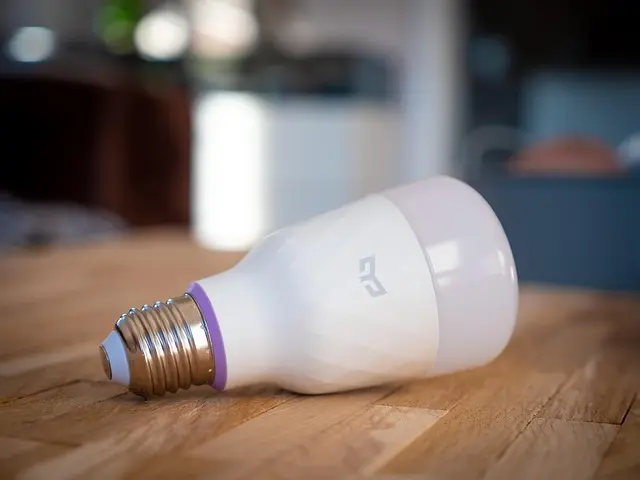
- Govee E26 Smart LED Colored Light Bulbs: Perfect for creating the ideal ambiance in any room.
- Escali Corp dba Kitchen Supply Wireless Thermometer and Timer: Ideal for any cooking enthusiast wanting to streamline the kitchen experience.
- Govee RGBICWW Floor Lamp Pro: Great for adding both lighting and mood to any living area.
Whether you're starting small or planning a full smart home overhaul, the right devices can greatly enhance your living experience.
📺 Pour aller plus loin : how to choose smart home devices 2026 sur YouTube
Recommended products
Selected by our experts

SPELAB DPF/DEF/EGR All-in-One Delete Kit for 2011-2016 6.6L Duramax LML - SOTF Tune( 2011-2014 ) / Silver / 4" Cat Back
spelabautoparts.com

SPELAB DPF/DEF/EGR All-in-One Delete Kit for 2011-2019 Ford 6.7L Powerstroke F250 F350 F450
spelabautoparts.com

SPELAB DPF/DEF/EGR All-in-One Delete Kit for 2011-2019 Ford 6.7L Powerstroke F250 F350 F450
spelabautoparts.com

SPELAB DPF/DEF/EGR All-in-One Delete Kit for 2011-2019 Ford 6.7L Powerstroke F250 F350 F450
spelabautoparts.com

SPELAB DPF/DEF/EGR All-in-One Delete Kit for 2013-2018 Dodge Ram 6.7L Diesel 2500 3500
spelabautoparts.com

SPELAB DPF/DEF/EGR All-in-One Delete Kit for 2013-2018 Dodge Ram 6.7L Diesel 2500 3500
spelabautoparts.com