Table of Contents (11 sections)
In recent years, the rise of smart home technology has transformed our daily lives. Today, homeowners can automate everything from lighting to security systems, enhancing both convenience and efficiency. However, with so many options available, selecting the best smart home devices tailored to your needs can be daunting. In this practical guide, we’ll break down the criteria for choosing the perfect devices, providing actionable steps to create a cohesive smart home ecosystem.
1. Define Your Needs and Lifestyle
Before diving into the vast market of smart home devices, it’s essential to understand your specific needs and lifestyle. Are you looking to enhance security, improve energy efficiency, or simply add convenience to your day-to-day routine? For instance, families with young children may prioritize security cameras and smart locks, while tech-savvy individuals might gravitate towards smart speakers and home assistants.
Moreover, consider the layout of your home. Are there dead spots in your Wi-Fi coverage that could hinder connectivity? Identifying these factors will guide your selections, ensuring that your devices serve their intended purpose effectively and integrate seamlessly into your living space.
2. Research and Compare Devices
Once you’ve defined your needs, it’s time to research available options. Various brands offer a plethora of devices, each with unique features and capabilities. Reading customer reviews and consulting expert opinions can provide valuable insights into performance and reliability. Websites like UFC-Que Choisir and Les Numériques are great resources for comparing device specifications and reading user experiences.
When comparing devices, consider using a comparison chart to evaluate metrics like functionality, compatibility with other smart devices, pricing, and warranty. This structured approach helps you visualize differences at a glance, making decision-making more straightforward.
| Feature | Device A | Device B | Device C |
|---|---|---|---|
| Compatibility | High | Medium | Low |
| Price | $$ | $$$ | $ |
| User Rating | 4.5/5 | 4.0/5 | 3.5/5 |
| Warranty | 1 Year | 2 Years | 1 Year |


4. Monitor Your Internet Connectivity
Smart home devices rely heavily on internet connectivity. A strong and reliable network is essential for uninterrupted operation. In 2026, with more devices connected to the internet, it is becoming increasingly important to invest in a high-quality router that supports multiple connections without degrading performance.
Consider upgrading to a Wi-Fi 7 router, specifically designed for optimizing multiple device usage. These routers can handle high bandwidth needs, supporting faster speeds and more connected devices, ensuring that your smart home functions effectively without lag.
📺 Resources Video
> 📺 For more insight: Install and manage your smart home devices with ease! Look for tutorials on YouTube: installing smart home devices 2026.
5. Evaluate Energy Efficiency
Smart home devices can also contribute to energy savings. Smart thermostats, for example, adjust heating and cooling based on your schedules and preferences, potentially reducing your energy bills. Ensure you research models that not only meet your needs but also enhance energy efficiency. Many modern smart devices come with energy monitoring features, which help you keep an eye on consumption and adjust settings accordingly.
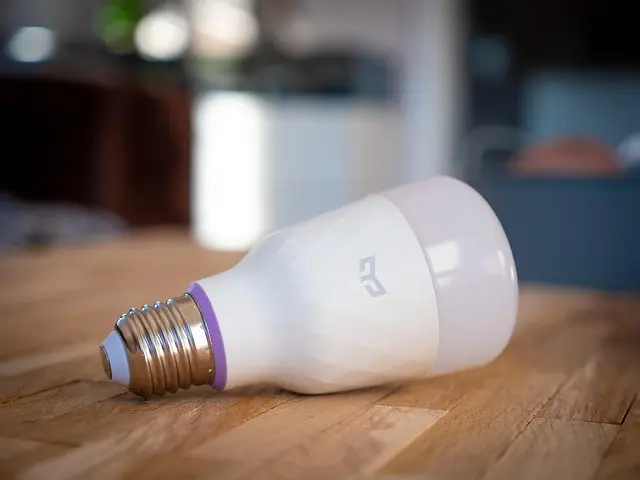
Furthermore, when choosing lighting solutions, opt for smart lights that can dim, change colors, or turn on and off automatically based on your routines, contributing to energy conservation and reducing costs.
6. Installation and Maintenance
Finally, consider the installation and ongoing maintenance of your smart home devices. Some devices are designed for easy DIY installation, while others may require professional setup. Read the instructions thoroughly and ensure you have the necessary tools and knowledge to install the devices yourself. If in doubt, hiring a professional can save time and hassle in the long run.
Additionally, regular maintenance, such as software updates and troubleshooting connectivity issues, is essential to keep your smart home running smoothly. Creating a maintenance schedule can ensure your devices are always up-to-date, enhancing both security and functionality.
Checklist Before Purchase
- [ ] Define your specific needs and lifestyle.
- [ ] Research and compare multiple devices.
- [ ] Ensure compatibility with existing smart devices.
- [ ] Optimize your internet connectivity.
- [ ] Evaluate energy efficiency features.
- [ ] Consider installation ease and maintenance requirements.
Glossary
| Term | Definition |
|---|---|
| Smart Home | A residence that uses smart devices to enhance living conditions and automate tasks. |
| Zigbee | A wireless communication standard that allows various smart devices to communicate over a short range. |
| Wi-Fi 7 | The latest Wi-Fi standard that provides faster speeds and improved performance for multiple connected devices. |
Recommended products
Selected by our experts
Netgear - Wi-Fi 7 Router Nighthawk BE9300 Tri-band Router - Black
bestbuy.com
This router leverages Wi-Fi 7 technology for exceptional speed and performance, ideal for a connected smart home.
Solid Signal - IQMC520 4G / 5G Wi-Fi Router
bestbuy.com
The 4G/5G router ensures reliable internet connectivity, a must-have for ensuring uninterrupted smart home device operation.
Men's Smart Ankle Pants Gray Small UNIQLO US S male
uniqlo.com
Energy-efficient LED strip lights can enhance your smart home experience by providing customizable lighting options.