Table of Contents (13 sections)
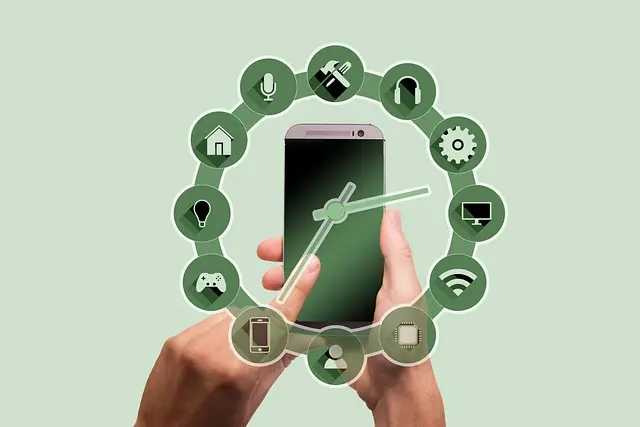
Smart home automation refers to the integration of technology into your household in order to enhance convenience, efficiency, and security. By connecting various devices and appliances, homeowners can create a system that allows them to control settings remotely or automate tasks altogether. The rise of technologies such as the Internet of Things (IoT) has made it highly practical for individuals to manage lighting, heating, security, and even entertainment systems from their smartphones.
Why consider smart home automation? According to recent studies, households that have implemented smart home technologies have observed energy savings of up to 30% annually. Furthermore, 70% of users reported increased comfort and security. By leveraging automation, individuals not only save time and money but also enhance their overall quality of life.
Step-by-Step Guide to Setting Up Smart Home Automation
Setting up a smart home automation system can seem daunting, but with the right approach, it can be manageable and rewarding. Below are practical steps to guide you through the process:
Step 1: Assess Your Needs and Create a Plan
Before diving deep into smart home automation, take the time to assess your household's needs. Consider which areas of your home you want to automate. Is it primarily for security, energy efficiency, or convenience? For example:
- Security: Integrate smart cameras and sensors for enhanced safety.
- Lighting: Automate lights to set schedules or control them remotely.
By setting clear goals, you will avoid the common pitfall of impulse buying devices that may not actually add value to your home.
Step 2: Choose a Hub
A central hub acts as the brain for your smart home system. It connects various devices, allowing them to communicate with each other. Popular options include smart speakers or dedicated hubs that support devices compatible with standards like Zigbee or Z-Wave. Your choice of hub will depend on device compatibility and personal preference. For instance, smart speakers also offer the added benefit of voice control, making operation more intuitive and hands-free.
Step 3: Start with One Room
To avoid overwhelming yourself, begin your automation journey in one room. Ideally, start with a high-traffic area like the living room or kitchen. Begin integrating basic devices like smart bulbs and a smart plug. These devices can be used to automate your lighting schedule or control kitchen appliances remotely.
In this stage, monitor how these devices work together. Add more devices gradually to diversify functionality without creating chaos. This method helps to ensure compatibility and functionality before moving on to other rooms.
Step 4: Expand Your System
Once you've streamlined operations in one room, begin expanding. Consider adding:
- Smart Security Cameras for monitoring the exterior of your home.
- Thermostats that learn your preferences for energy savings.
Each additional device should serve a distinct purpose to enhance the existing system continually. As you expand, make sure to update your plans regarding your needs and how each device will interact within your ecosystem.
Step 5: Automate and Experiment
At this stage, you can experiment with automation. Set schedules for devices or create scenes that adjust multiple devices simultaneously (like dimming lights and lowering shades for movie nights). Most smart home systems allow you to program complex routines, so don't hesitate to explore different configurations to see what works best for you.
Step 6: Regular Maintenance
Regularly check for software updates on your smart devices to ensure optimal performance and security. Additionally, evaluate your system periodically to see if adjustments are necessary or if there are any new technologies or improvements available. By being proactive, you can prevent security vulnerabilities and ensure everything runs smoothly.
Comparative Overview of Smart Devices
Below is a quick comparison of essential smart home devices:
| Device Type | Pros | Cons | Verdict |
|---|---|---|---|
| Smart Bulbs | Easy installation, energy-saving | Often require a hub | Great starter device for ambiance |
| Smart Cameras | Real-time monitoring, alerts | May require subscriptions | Ideal for security and peace of mind |
| Smart Thermostats | Energy-efficient, adaptive | Initial cost can be high | Excellent for savings and comfort |
| Smart Plugs | Versatile control for devices | Limited to plugged items | Useful for automating existing appliances |
smart home automation setup 2026.


Glossary
| Term | Definition |
|---|---|
| Smart Hub | A central device that connects and manages smart home devices. |
| IoT (Internet of Things) | The network of devices that communicate over the internet. |
| Automation | The use of technology to perform tasks with minimal human intervention. |
Checklist before Purchase
- [ ] Identify your primary needs.
- [ ] Research and select a compatible hub.
- [ ] Start with basic devices in one room.
- [ ] Plan for future additions.
- [ ] Implement routine maintenance checks.
{
📺 Pour aller plus loin : smart home automation setup 2026 sur YouTube
Recommended products
Selected by our experts


Drop Dash Deals Screen Clip Phone Mount, Universal Smartphone Holder Screen Clip Phone Mount, Universal Smartphone Holder
inspireuplift.com

WHALL - 2 Slice Toaster, Toasters 2 slice, Smart Bread Toaster, Touchscreen Toaster wide slots - Stainless Steel
bestbuy.com