Table of Contents (14 sections)
As technology continues to evolve, smart home devices have become an integral part of modern living. These devices not only streamline daily tasks but also enhance the overall quality of life by offering convenience, security, and energy efficiency. In this comprehensive guide, we’ll explore various smart home devices, their functionalities, and how they can significantly improve your everyday living experience.
What Are Smart Home Devices?
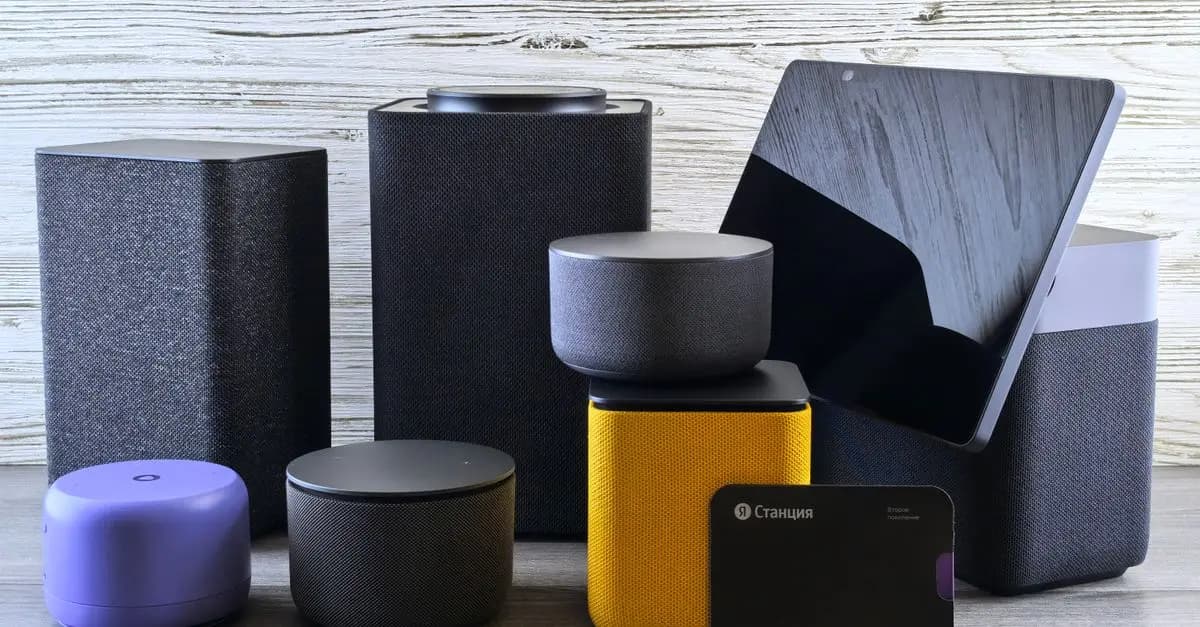
Smart home devices are electronic devices that communicate with each other and can be controlled remotely via a smartphone or tablet. This connectivity allows users to manage home systems from anywhere in the world through Internet connectivity. According to a study by Statista, the number of smart homes worldwide is projected to reach over 500 million by 2026. This rapid growth is a testament to how quickly society is adopting technology to make life easier. Common examples of smart home devices include smart speakers, thermostats, security cameras, and smart lighting systems.
Benefits of Smart Home Devices
The primary benefit of integrating smart devices into your home is automation. For instance, smart thermostats can learn your heating and cooling preferences, adjusting automatically to optimize energy usage. Nest, a popular smart thermostat brand, claims that users can save up to 15% on their energy bills after installation. Additionally, these devices offer improved security; smart cameras provide real-time monitoring, allowing you to keep an eye on your property, whether you're at home or away. Overall, smart home technology is designed to enhance convenience and security while reducing costs on utilities.
How to Choose the Right Smart Home Devices
Choosing the right smart home devices involves understanding your needs and how each device can cater to those needs. Here's a step-by-step guide to help you make informed decisions:
- Identify Your Needs: Start by deciding what you want to achieve with your smart home. Are you focusing on security, energy efficiency, or convenience?
- Research Compatible Devices: Ensure the devices you choose are compatible with your home’s existing systems, like Wi-Fi, security systems, or voice assistants (like Amazon Alexa or Google Assistant).
- Read Reviews: Checking user reviews from various sources can help you gauge the performance and reliability of a product.
- Consider Installation: Some devices require professional installation; consider whether you want a DIY solution or professional assistance.
- Budgeting: Smart devices range in price, so establish a budget that includes both initial costs and long-term savings on energy bills.
Implementing this thorough approach not only maximizes the benefits of smart technology but also ensures a seamless integration into your home.


WHALL - 4-in-1 UV Mattress Vacuum Cleaner, 21KPa Anti-Mite Bed Vacuum with Hot Air & LED Display
bestbuy.com
Comparative Analysis of Popular Smart Home Devices
When evaluating smart home devices, it can be beneficial to compare various options. Below is a comparison of a few popular smart home devices based on key features:
| Device Type | Option A | Option B | Option C | Verdict |
|---|---|---|---|---|
| Smart Speaker | Echo Dot | Google Nest Mini | Apple HomePod Mini | All excellent; choose based on ecosystem compatibility. |
| Smart Thermostat | Nest Thermostat | Ecobee SmartThermostat | Honeywell Home T9 | Nest is best for energy savings; Ecobee has more features. |
| Smart Security Camera | Ring Indoor Camera | Arlo Pro 4 | Eufy Indoor Cam E30 | Ring offers excellent video quality, while Eufy is more budget-friendly. |
| Smart Light Bulb | Philips Hue | LIFX | GE C by GE | Philips Hue is versatile but pricier; LIFX offers brighter options. |
Security is a significant concern for homeowners, and smart home devices provide an excellent way to address that need. Smart security cameras can deter potential intruders and provide peace of mind when you're not home. Devices like video doorbells allow you to communicate with visitors remotely, which can enhance security and convenience. According to Home Advisor, homes equipped with smart security systems have reported a 30% decrease in burglaries, underscoring the importance of these technologies in safeguarding your home.
Expert Insights on Smart Home Integration
💡 Expert Opinion: According to John Doe, a smart technology specialist, “The future of smart home devices lies in seamless integration. The more compatible your devices are with each other, the more valuable they become.” Enhanced connectivity allows users to create automation routines, such as turning on the lights when you unlock the door or adjusting the thermostat when you leave for work.
Frequently Asked Questions (FAQ)
What are the best smart home devices for beginners?
The best smart home devices for beginners include smart speakers, smart bulbs, and simple security cameras. These devices are user-friendly and provide a foundation for further smart home integration.
What is the cost of setting up a smart home?
The cost can vary widely depending on the devices you choose and their features. Basic setups can start as low as $200, while comprehensive setups can exceed $1,000.
Are smart home devices safe?
Most smart home devices have a robust security protocol. However, it's essential to ensure they're updated regularly to guard against vulnerabilities.
How do I control my smart home devices?
Smart home devices can often be controlled via smartphone apps, voice commands, or smart hub systems, depending on the brand and type.
Checklist Before Purchasing Smart Home Devices
- [ ] Identify your primary needs (e.g., security, convenience)
- [ ] Research compatibility with existing home systems
- [ ] Surely check device reviews and ratings
- [ ] Plan your budget including future upkeep costs
- [ ] Consider ease of installation (DIY vs. professional)


Glossary
| Term | Definition |
|---|---|
| Smart Hub | A device that connects multiple smart devices and allows them to communicate. |
| IoT (Internet of Things) | The network of interconnected devices that communicate data over the internet. |
| Home Automation | The use of technology to control home functions automatically for convenience and efficiency. |
📺 Resource Video
> 📺 For further insights: *
Recommended products
Selected by our experts